 Robine Studio
The rig
Build your sound from pedals, an amplifier and a cabinet, keep it as a preset, tune up and record.
The board and the chain
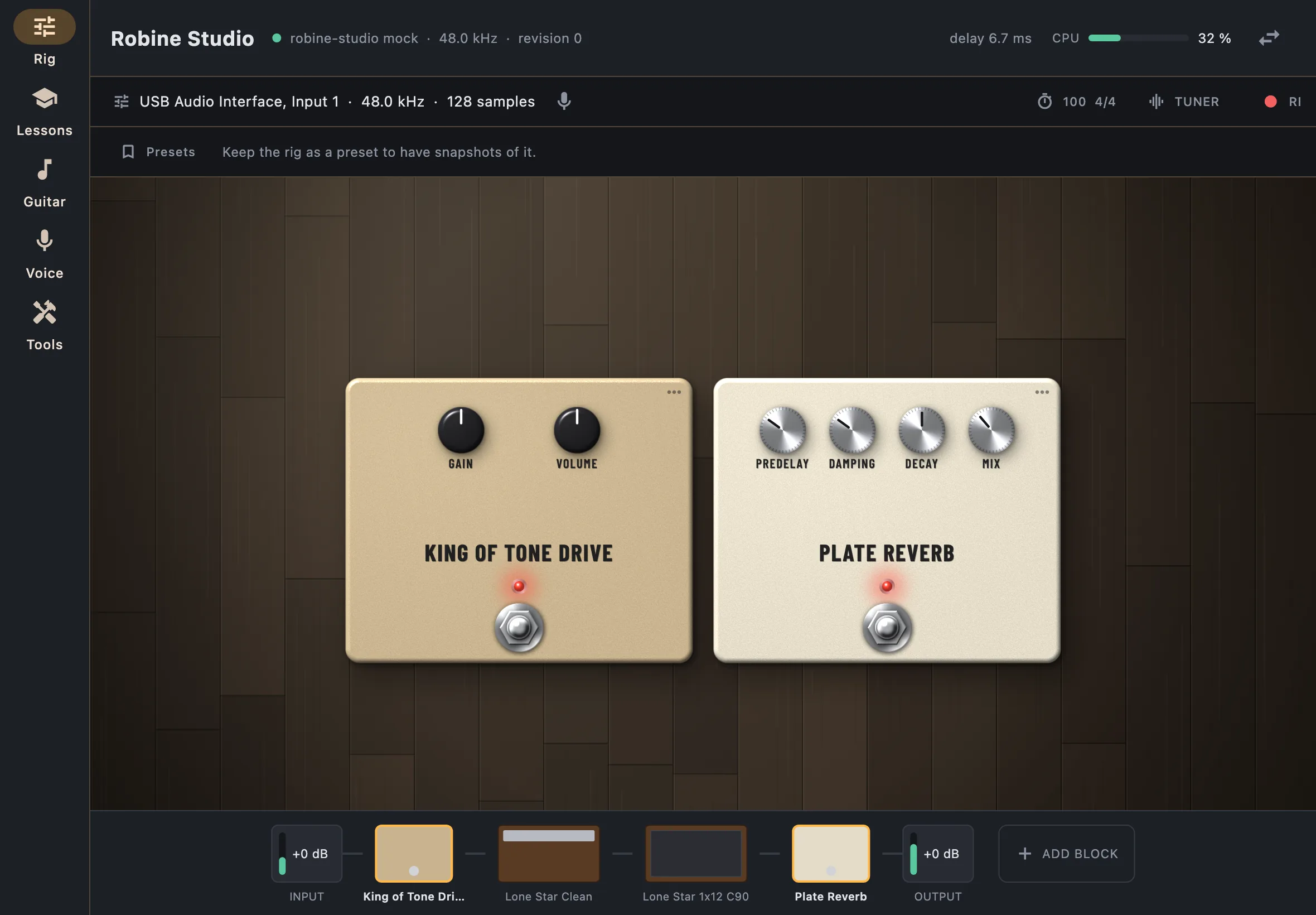
The rig is a chain of blocks between your input and your output. Along the bottom, the chain shows every block in the order the signal goes through them, with a meter and a level at each end (Input and Output).
Pedals lie on the pedalboard above. Turn a knob by dragging it, and press the footswitch to switch the pedal on or off: a pedal that is off is dimmed in the chain.
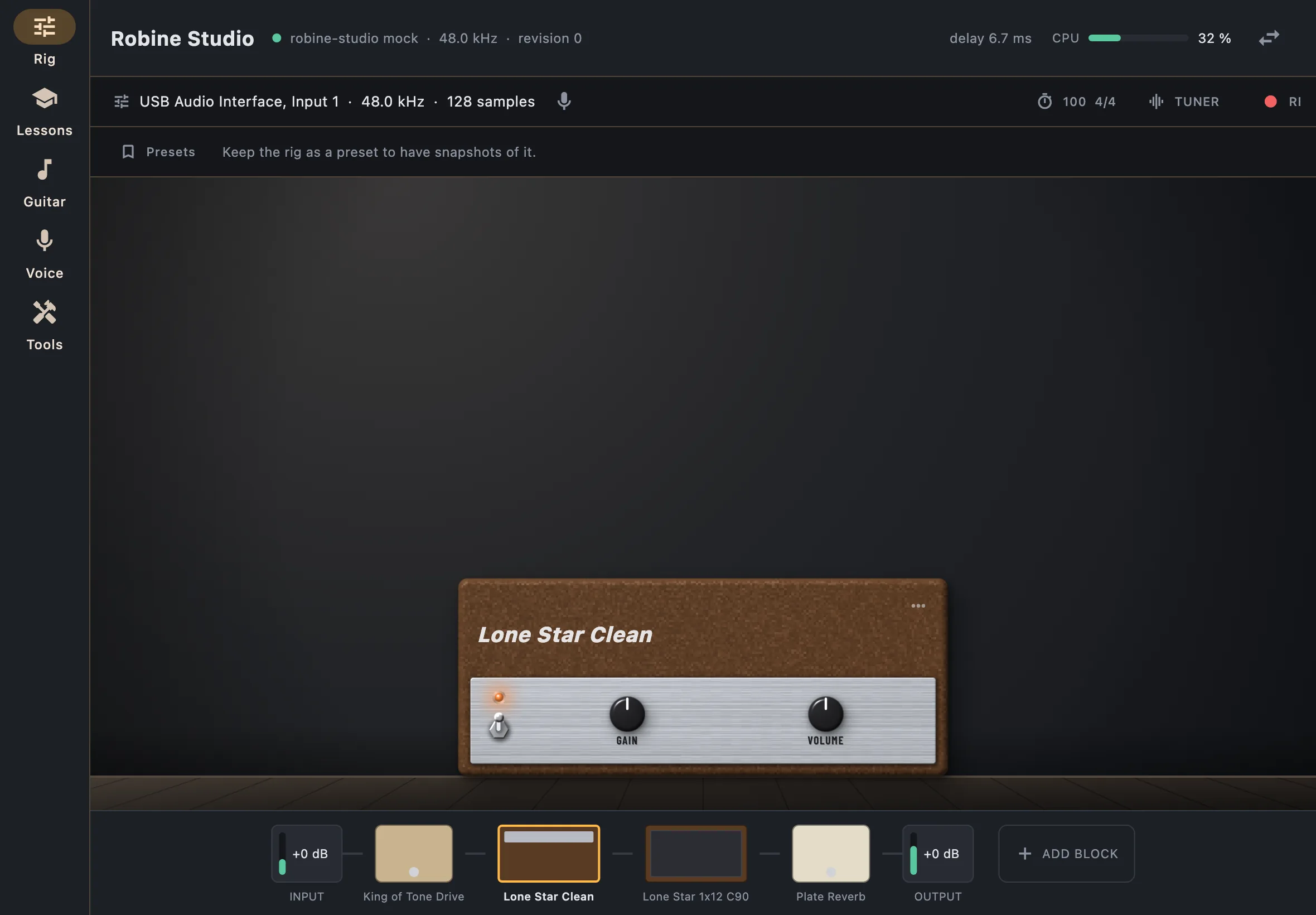
Tap an amplifier or a cabinet in the chain to see it in place of the pedalboard. Tap a pedal to come back to the board.
Move and remove blocks
- Long-press a block, on the board or in the chain, then drop it on another block: it takes that place and the others shift. A bar shows on which side it will land.
- The ⋯ menu of a block moves it towards the input or the output, sets its oversampling when it has one, and removes it.
Add gear
Add block, at the end of the chain, opens the library. Its shelves go in the order of a chain: compression, boost, overdrive and distortion, fuzz, modulation, pitch, delay and reverb, looper, amplifiers, cabinets. Pick a piece to read about it, then Add to the rig.
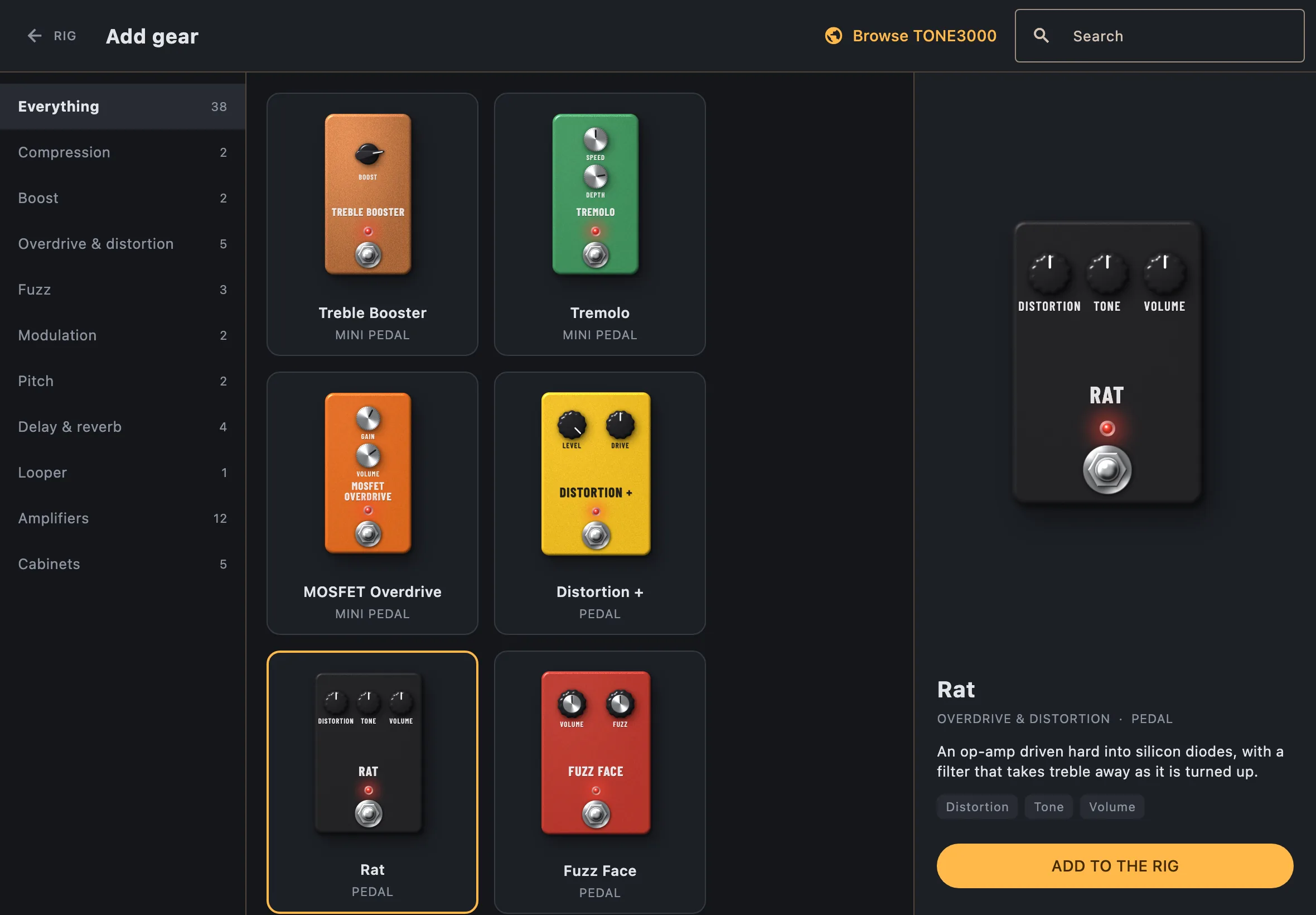
- Pedals are simulated from their circuit.
- Amplifiers are captures of real ones (Neural Amp Modeler).
- Cabinets are impulse responses.
- Browse TONE3000 finds more captures online and adds them to your library.
The looper
The looper is a block like any other: put it where you want it in the chain. It has four tracks, each with one button: record, play, overdub, stop. A loop lasts up to 30 seconds; the first pass of a track sets its length.
The looper’s recordings are not kept when you save a preset or close the app.
Presets and snapshots
A preset is a rig you keep under a name. Presets, above the board,
opens them: Keep this rig saves the current one, Import brings in a
.robinerig file shared from another device.
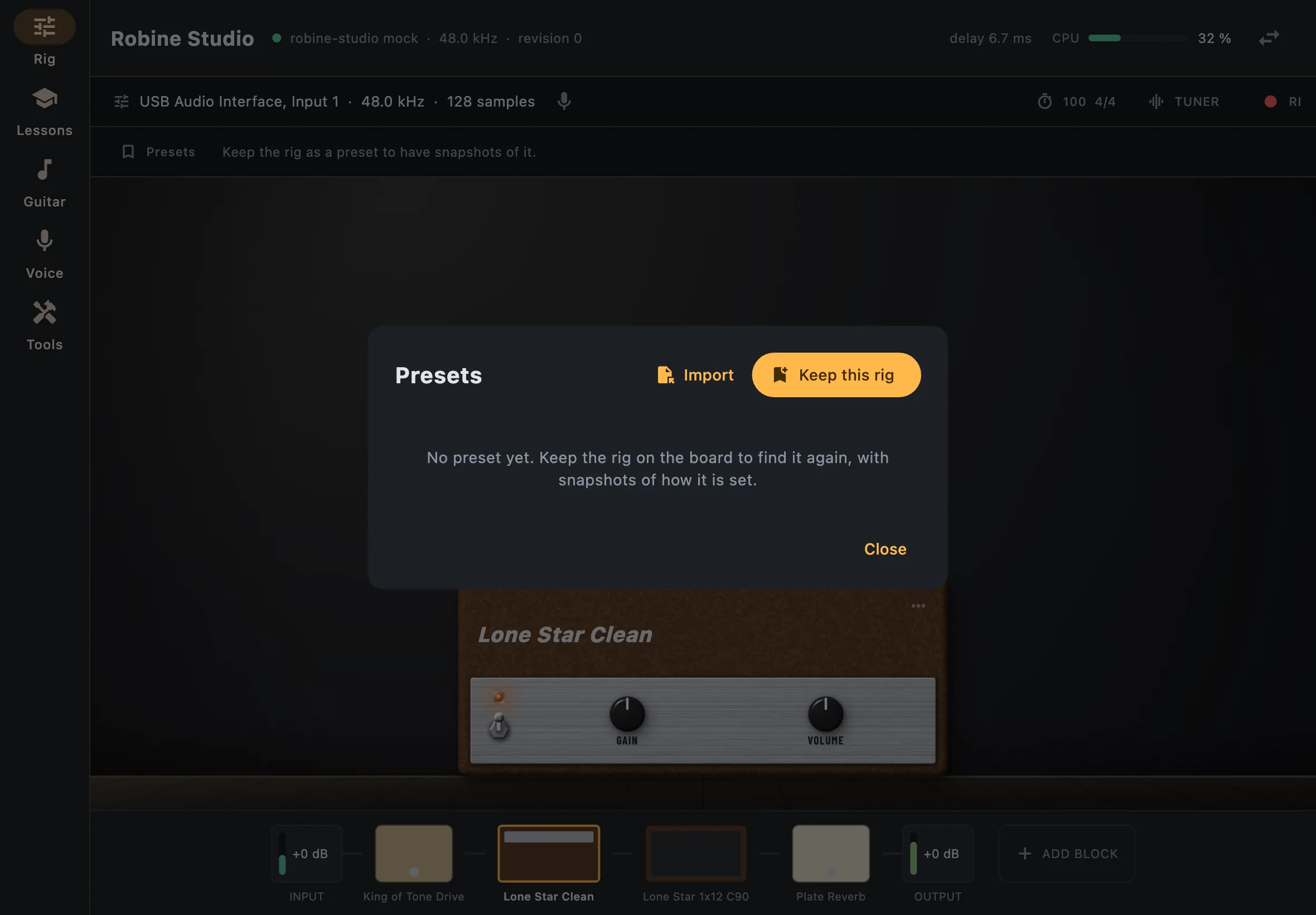
A preset can hold snapshots: several settings of the same rig, recalled with one tap from the bar above the board. Save one with the + button. When you turn a knob, the snapshot shows modified: update it, or tap it again to go back.
Loading a preset never changes your audio device.
Tuner
Tuner puts the tuner in the place of the gear. It shows the note and how far you are from it in cents; you are in tune within 4 cents (A = 440 Hz). While it is shown the output is muted; tap Muted to hear the rig again.
Metronome
The chip with the tempo (100 4/4) opens the metronome: tempo, time
signature, volume. See the metronome in Tools
for random mute and tap tempo.
Recording
Record records what comes out of the rig. Takes lists your recordings and saves one as a WAV file.